
Winter Home Security Made Simple: Smart Camera Tips - Learn tips for keeping your family and property safe when temperatures drop.
Winter brings cozy sweaters, hot cocoa, and longer nights, but it also introduces unique challenges for home security. For new homeowners and busy families, ensuring your property is protected during the cold months is essential.
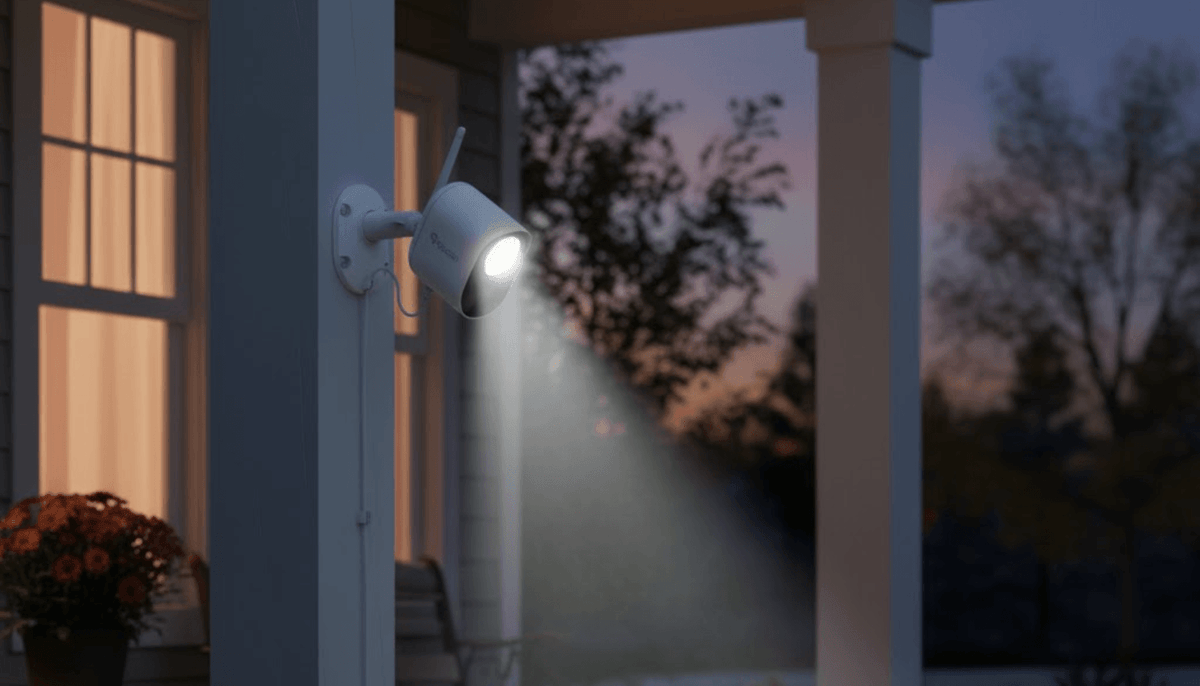
Smart home security cameras, such as floodlight cameras, provide peace of mind by offering constant monitoring, bright illumination, and motion detection even in freezing temperatures. Winter can affect visibility, sensor accuracy, and outdoor lighting, so preparing your cameras now can save headaches later.
How Winter Impacts Home Security
Colder weather and shorter daylight hours influence how your home security systems perform. Snow and ice can block cameras or obscure their lenses, reducing visibility. Frost can interfere with motion sensors, triggering false alerts, while freezing rain may damage unprotected wiring.
Also, longer nights increase the reliance on outdoor lighting and night vision capabilities. Understanding these seasonal challenges allows homeowners to make informed decisions on camera placement, lighting schedules, and maintenance routines.
For families who are out during the day or have young children at home, winter also increases the need for reliable two-way communication through security cameras. Speaking directly to visitors or delivery personnel via smart cameras ensures safety without requiring physical interaction in cold conditions.

Winter Home Security - How to Optimize Floodlight Cameras for Winter
Smart floodlight cameras combine bright lighting with motion detection to secure your property efficiently. Here are seven quick tips:
#1 Position for Maximum Coverage
Place cameras at main entry points, driveways, and backyard areas where snow and ice may limit visibility. Ensure the lens isn’t blocked by roof overhangs or holiday decorations. A wide-angle lens helps cover more area, reducing blind spots.
#2 Adjust Motion Sensitivity
Cold weather may trigger false alarms if sensitivity is too high, especially near trees swaying in winter winds. Set motion detection to prioritize human movement, so your camera alerts only when needed.
#3 Use Scheduled Lighting
Floodlight cameras feature a 1200-lumen super-bright light that can turn on automatically when motion is detected, manually via the app, or on a set schedule. Scheduling lights to coincide with dark winter evenings improves security and deters potential intruders.
#4 Maintain Clear Lenses
Regularly remove snow, frost, or ice from the camera lens and light cover. Even a small layer can reduce clarity, especially for 1080P Full HD recording and night vision performance.
#5 Enable Two-Way Talk and Auto-Response
Families can interact remotely using the device’s app. Pre-recorded auto-responses help manage visitors without exposure to harsh conditions. This feature ensures communication is clear and consistent, even when you’re away.
#6 Check Wiring and Connections
While the floodlight camera is wired for consistent power, ensure cords are free from ice and snow buildup. Secure outdoor connections to prevent interruptions caused by winter storms.
#7 Backup Storage and Cloud Options
Winter power outages can occur unexpectedly. Consider cloud storage for recorded footage or a backup power source for cameras to retain video during emergencies.

Winter Home Security - How to Ensure Reliable Coverage Through Winter
Winter storms and low temperatures can challenge the reliability of any outdoor security camera. Here’s how to maintain consistent monitoring:
#1 Combine Wired and Wireless Systems
A wired floodlight camera provides uninterrupted power, while wireless cameras add flexibility for areas without easy wiring. This hybrid approach ensures full coverage even in adverse weather.
#2 Inspect Cameras Regularly
Monthly checks help identify misaligned cameras, debris accumulation, or frozen components. This small effort prevents gaps in coverage during critical winter months.
#3 Utilize App Notifications
Enable real-time notifications on your smartphone to monitor any unusual activity. Alerts can help you respond promptly to safety concerns or deliveries.
#4 Consider Temperature-Resistant Equipment
Some cameras struggle in extreme cold. Verify that your model supports low-temperature operation to maintain performance during winter lows.
#5 Coordinate with Outdoor Lighting
If your property has additional outdoor lights, sync them with your cameras for consistent illumination. Proper lighting reduces shadows and enhances the accuracy of motion detection.
Final Thoughts
Winter is a season that requires extra attention to home security. Optimizing floodlight cameras, adjusting settings for seasonal conditions, and performing routine maintenance allow homeowners to safeguard their property and enjoy peace of mind.
Smart home security cameras provide more than monitoring, as they offer communication, deterrence, and confidence that your family and belongings are protected. Preparing your system now ensures that the cold months won’t compromise your safety.

Share:
How to Stay Connected with Smart Cameras This Holiday
Protect Your Home with Toucan Solar Wireless Security Cameras