


Product highlights


Wireless Video Doorbell – Toucan V3D 1080p HD, No Chime
SKU: TVD300D
The Toucan V3D wireless video doorbell helps you check visitors and deliveries from the Toucan Smart Home App. Its 1080p HD video, wide-angle view and rechargeable battery bring front-door monitoring to homes without existing doorbell wiring.
See and speak with visitors
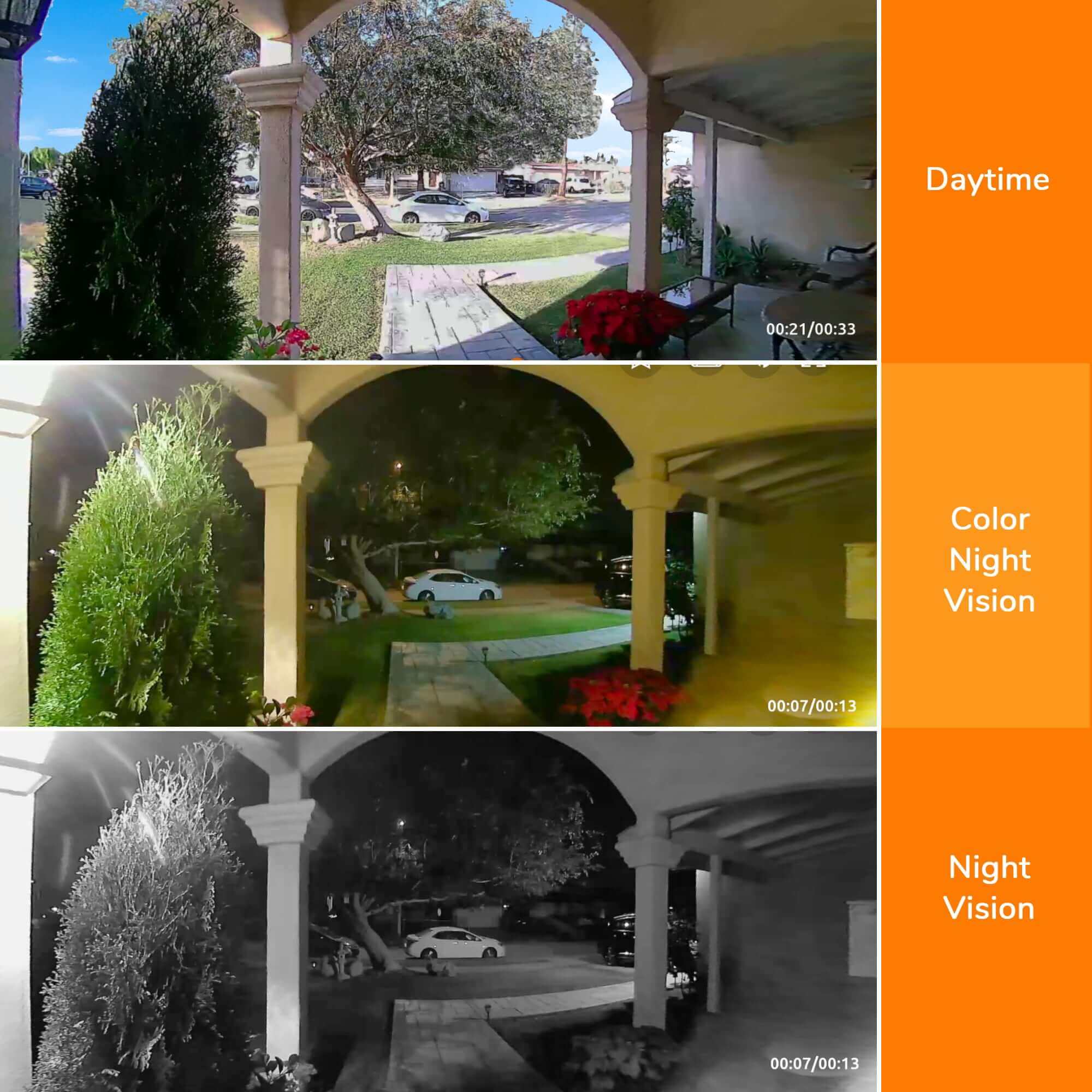
Open live view to see your entrance, receive PIR motion alerts and use two-way talk to answer someone at the door. Night vision helps you check activity after dark. Set up the doorbell where it provides a useful view of visitors and the approach to your home.
Wireless installation without a hub
- Built-in rechargeable battery for wire-free placement.
- No separate hub or base station required.
- No existing doorbell wiring required.
- Indoor chime not included with this V3D model.
Before mounting, confirm compatible Wi-Fi at your entrance and preview the viewing angle in the app. Keep access to the doorbell practical for recharging, and check mounting permissions if you rent.
Essential app features without a required monthly fee
Live view, alerts, two-way talk and included 24-hour event history work without a required monthly subscription. Optional AI+ plans provide additional features and longer history. Review the Toucan Smart Home App options to choose what you need.
Compare Toucan video doorbells for chime-included options, or explore home security kits to add camera coverage around your home.
Product highlights
Pairs well with
In stock! Ships within 1-2 business days.

30-day returns; terms apply
1-Year Warranty
Free standard shipping on $49+ to contiguous U.S.
Wireless Video Doorbell – Toucan V3D 1080p HD, No Chime
For product and order support, contact Toucan. Please include your product model or order number.
-
Shipping Information
View our Shipping & Delivery information for delivery areas and charges.
-
Customer Support
Visit Contact Toucan for product and order support.
-
FAQ’s
Find setup and product answers in our Frequently Asked Questions.
-
Contact Us
Visit Contact Toucan for product and order support.
Wireless Video Doorbell
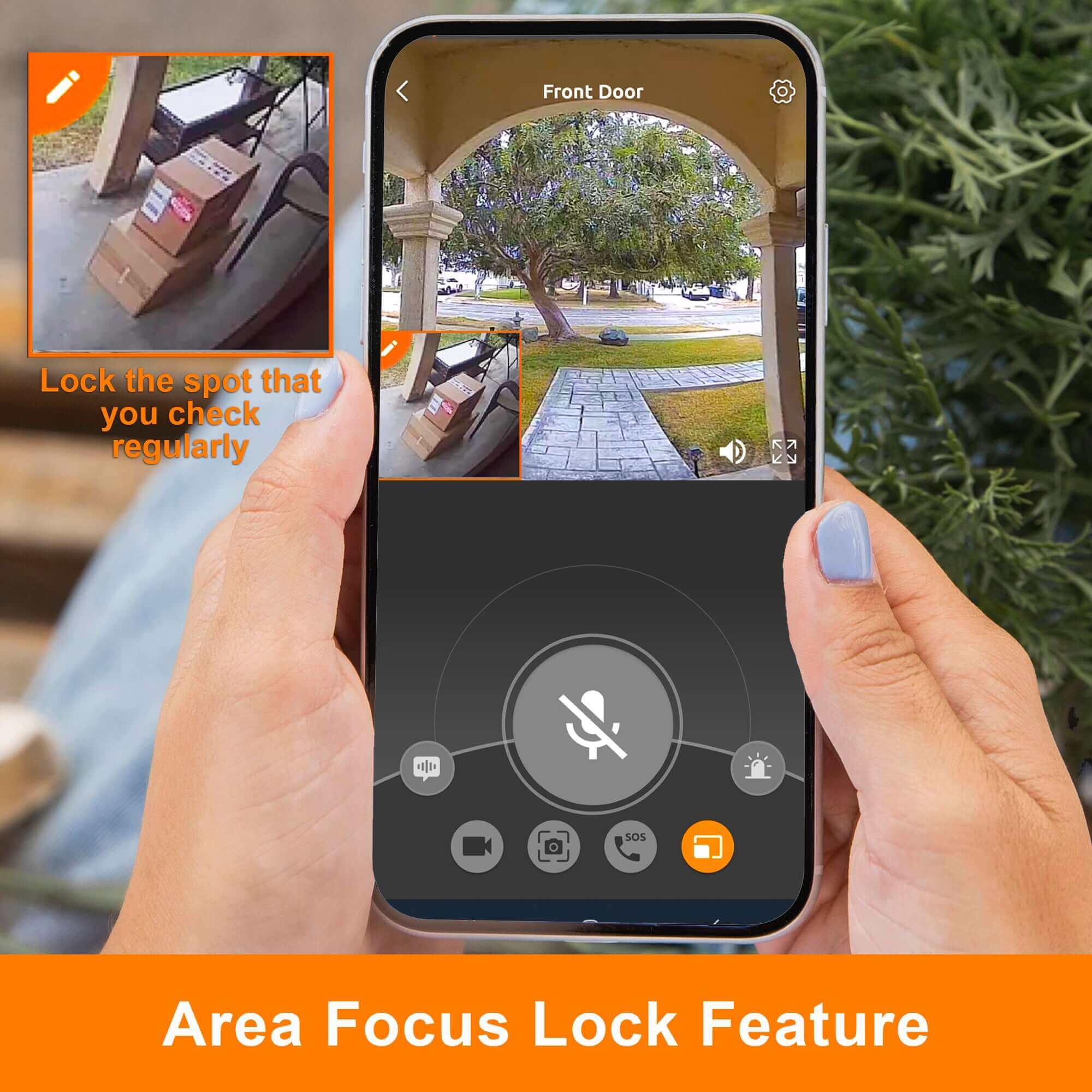
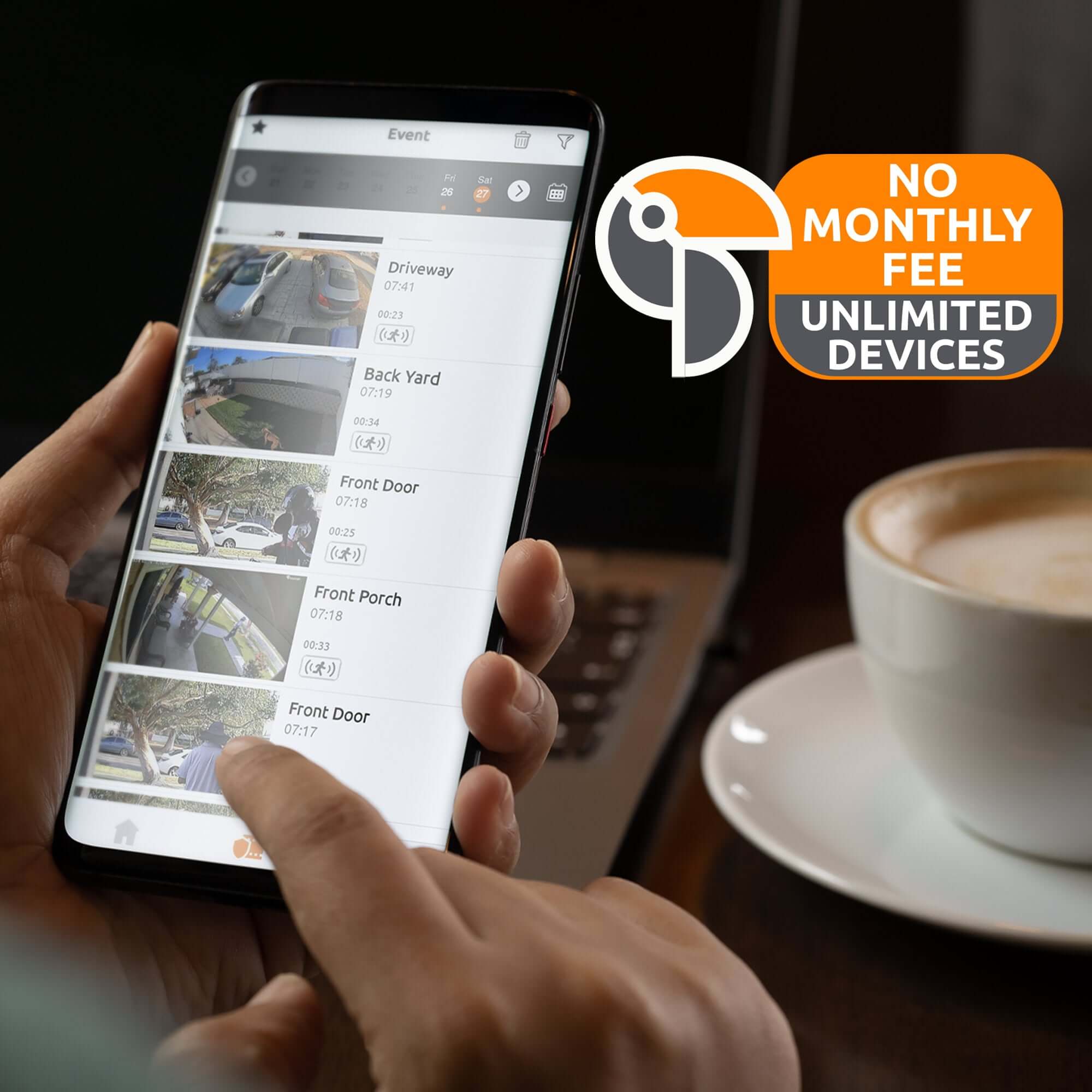
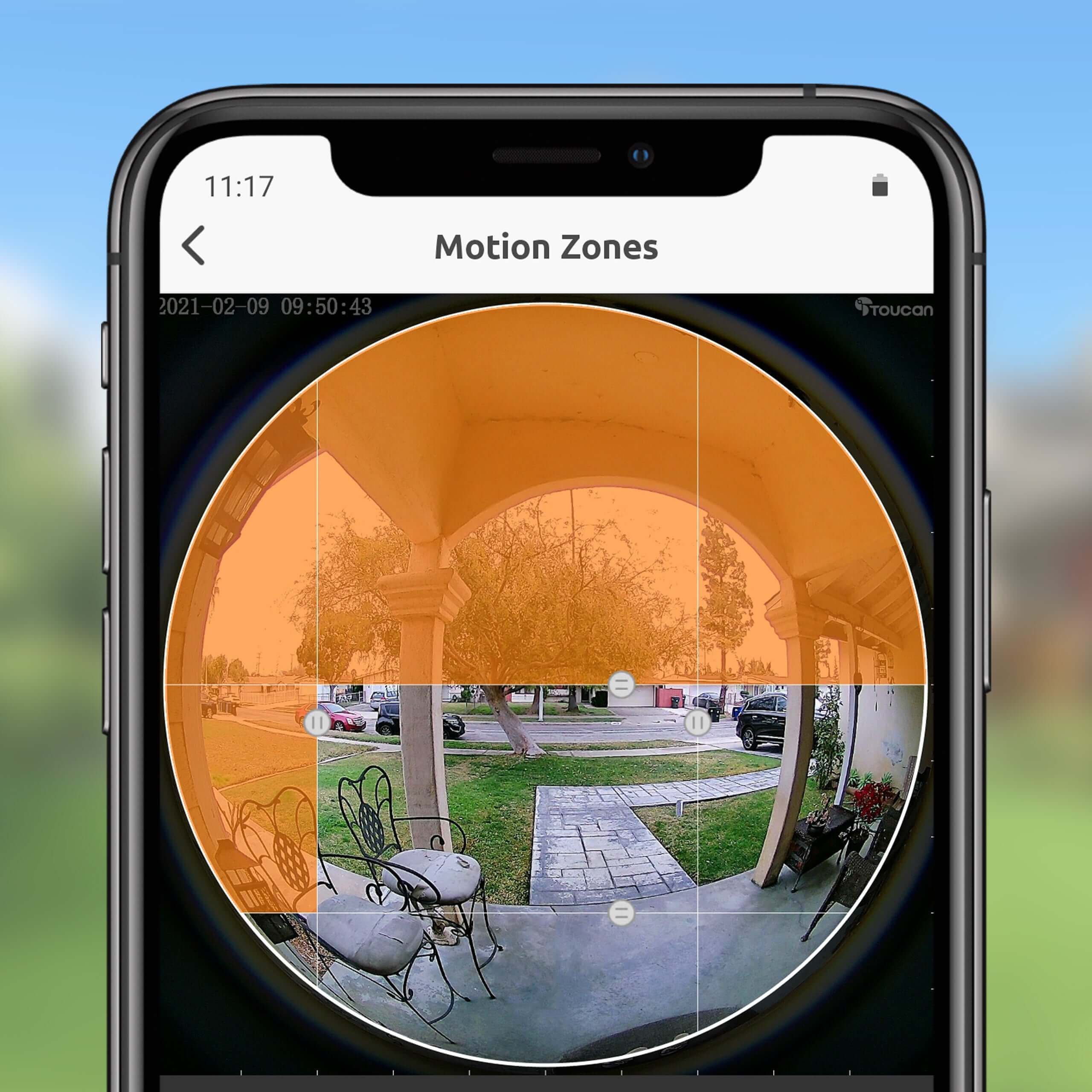
With our free Toucan Smart Home app, you can access, monitor, and control the video doorbell anytime and from anywhere, speak with someone using the two-way talk, set pre-recorded auto-responses to let someone know that you are watching, trigger the siren, view the recorded video clips, and with customizable motion zones, your video doorbell will alert you when it detects motion where you have customized it.
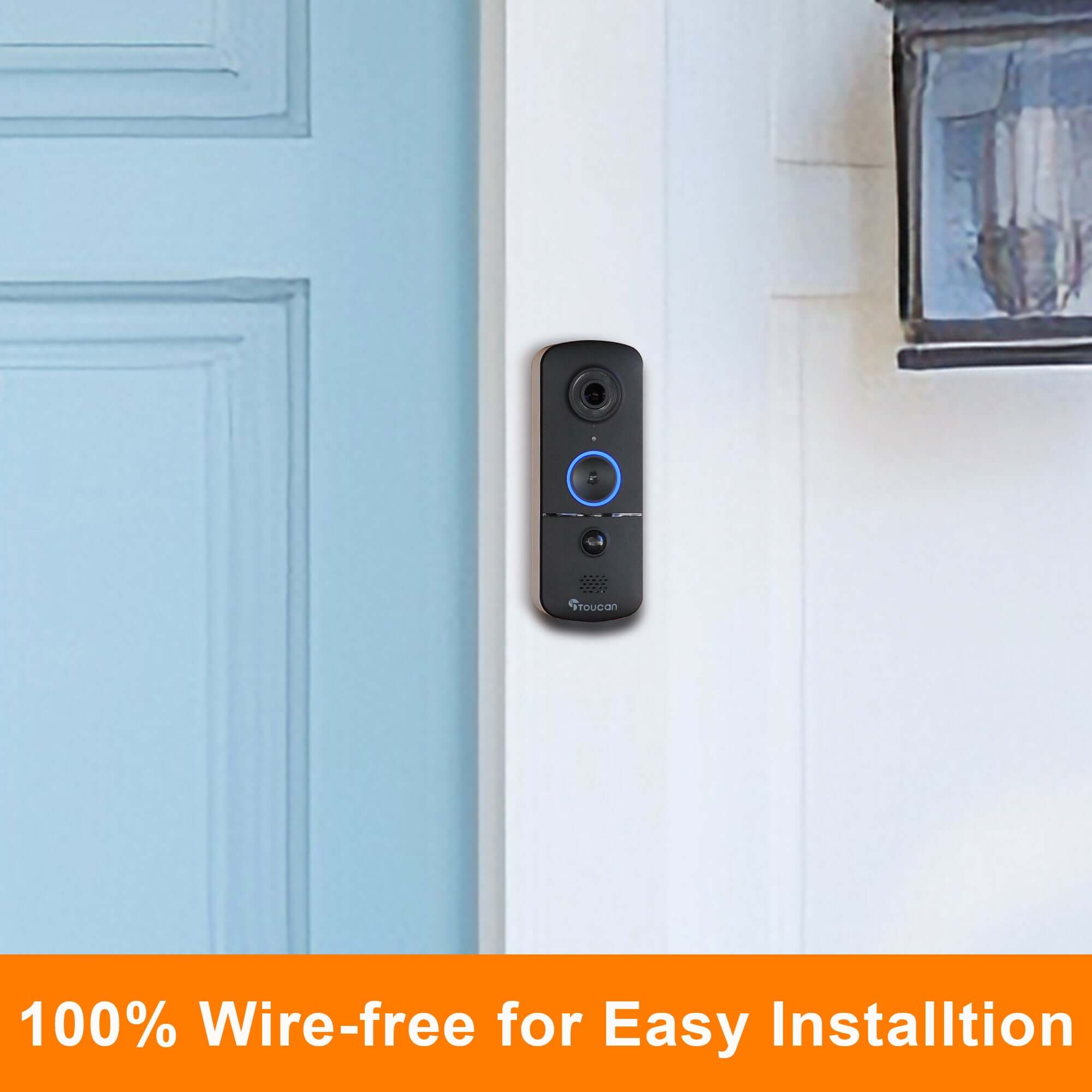
The Toucan Wireless Video Doorbell V3D can be easily installed in just a few minutes. Just pair it to your smartphone with the Toucan Smart Home app, mount it, and you’re ready to go. You can access the last 24 hours of recorded videos for free or subscribe for additional features and cloud storage.


Toucan AI+ Smart Home App


Stay connected and in control with the Toucan Smart Home App for iOS and Android. View live video, receive instant motion alerts, use two-way talk and review recorded events from the previous 24 hours—all from virtually anywhere.
The included Free plan provides essential monitoring and one day of event-video history. Optional Toucan Shield plans offer longer video history and additional AI+ features. Compare current plan features.
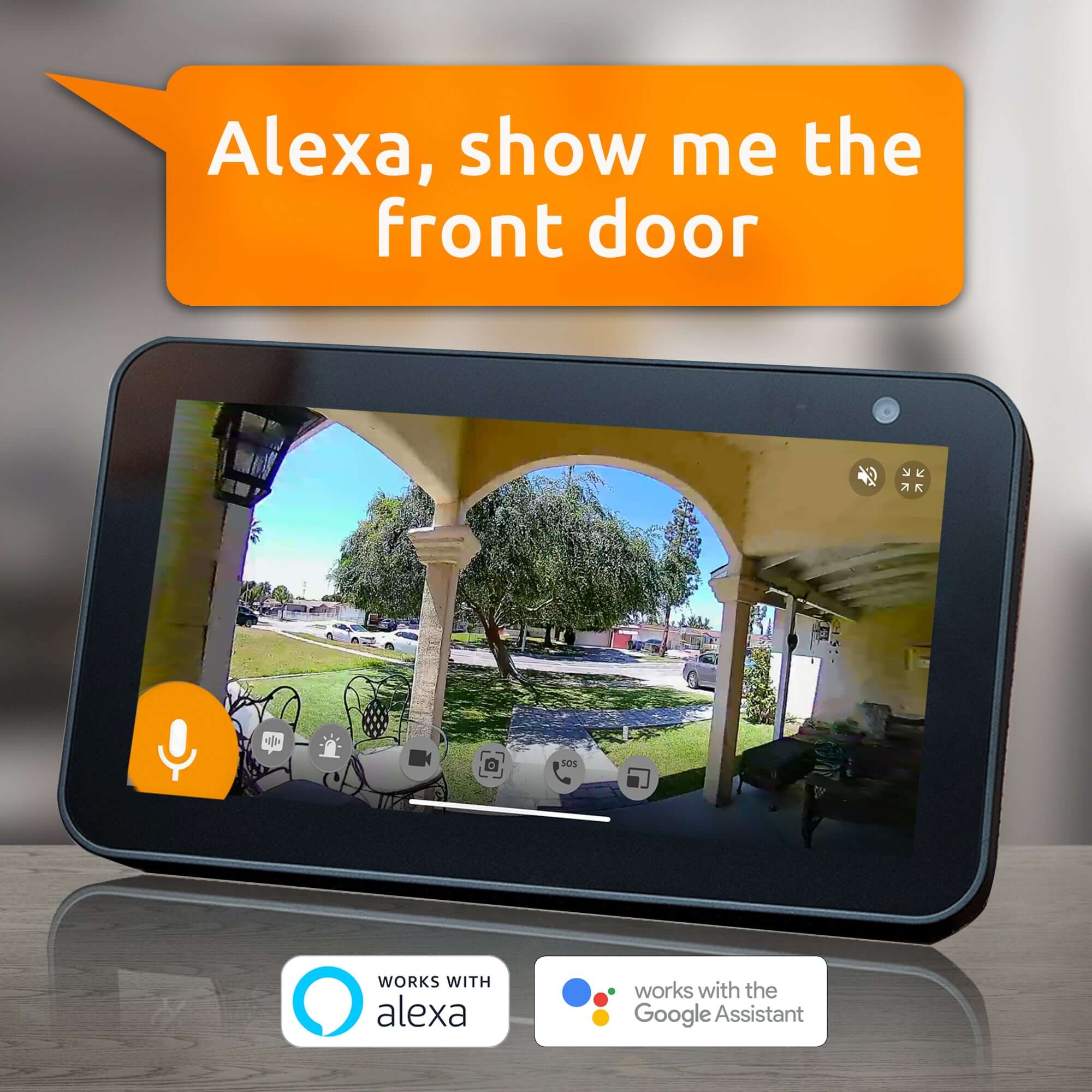
Toucan also works with supported Amazon Alexa and Google Home devices, making it easier to stay connected to your home.
- No Subscription Required
- 2.4 GHz Wi-Fi Only (Not Compatible with 5 GHz Wi-Fi)
Tech Spec
Features
- Accurate PIR motion detection sends instant alerts to your smartphone when motion is detected.
- Basic Toucan AI+ plan included free, with enhanced person, animal, and package identification.
- Built-in rechargeable battery enables easy, completely wire-free installation.
- Night vision provides clear recordings and motion detection in low-light conditions.
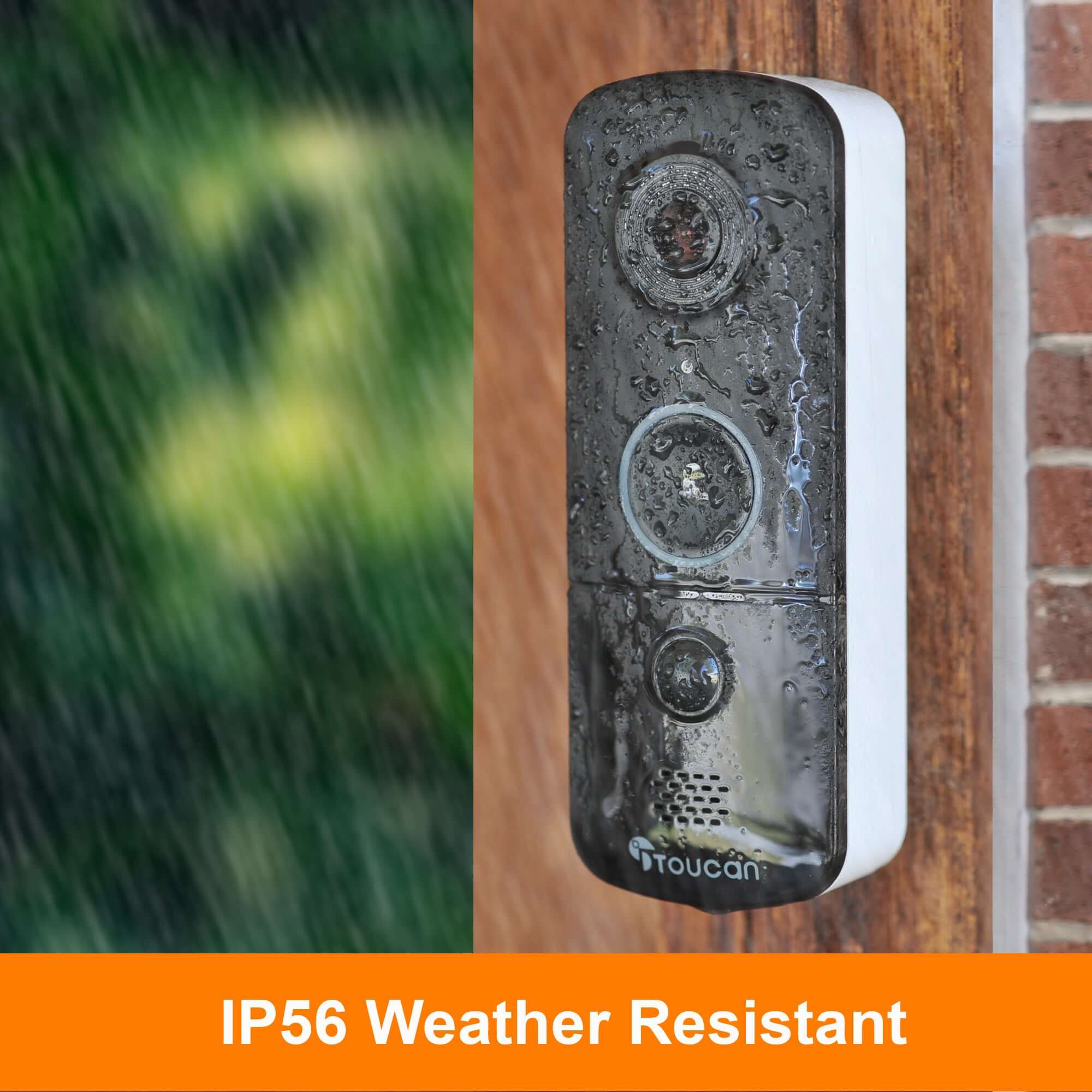
- IP56 weather-resistant design helps protect the doorbell from the elements.
- Two-way talk lets you answer the doorbell and speak with visitors remotely.
- Customizable motion detection zones help reduce unwanted alerts.
- Built-in siren and Call 911 features.
- Control and access your doorbell from anywhere through the Toucan Smart Home App.
- Free 24-hour event video history lets you review the day’s recorded events.
- Pre-recorded responses let you reply without using your own voice.
- Works with supported Amazon Alexa and Google Home devices.
- No hub or base station required.
- Connects to a 2.4 GHz Wi-Fi network; not compatible with 5 GHz-only Wi-Fi networks.
- No paid subscription required for essential use.
- No wireless indoor chime included.
Embedded lithium-ion (Li-ion) battery.
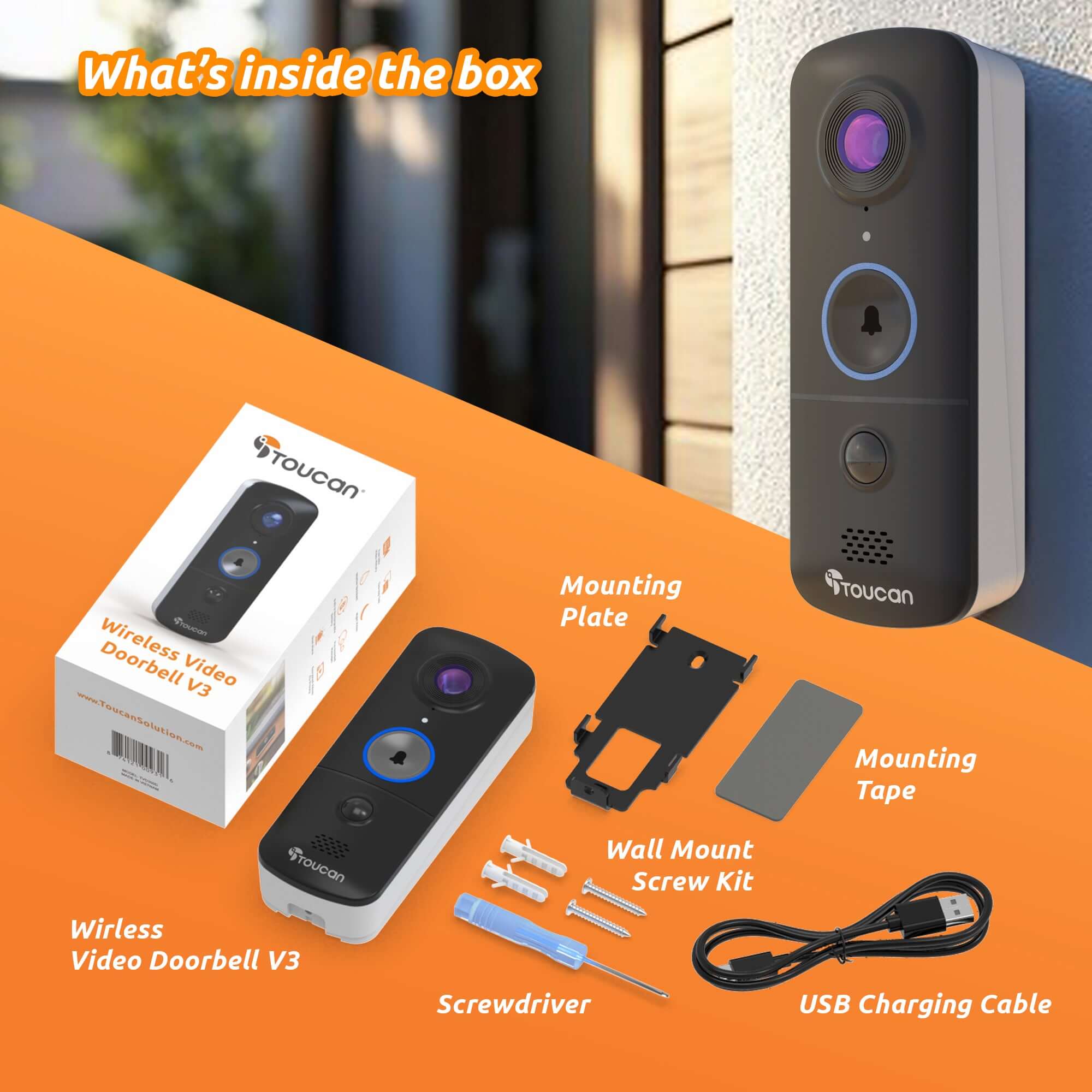
Included in the Box

1 Wireless Video Doorbell

Metal Wall Mount

Screws and Anchors

Charging Cable


Flexible Front-Door Protection
See, hear and respond—from virtually anywhere.
Monitor your front door with clear 1080p Full HD video, a wide-angle view, accurate PIR motion alerts, night vision and two-way talk. The rechargeable V3D Video Doorbell installs without existing doorbell wiring or a separate hub. No wireless indoor chime is included. Add a compatible Toucan wireless chime for audible indoor alerts and multiple ringtone options. AI+ Basic is included free, providing enhanced person, animal and package identification, with optional upgrades available for expanded AI+ capabilities, longer video history and additional cloud storage.
The door chime for the Toucan door bell camera is sleek looking, easy to install, & loud. Highly recommend!
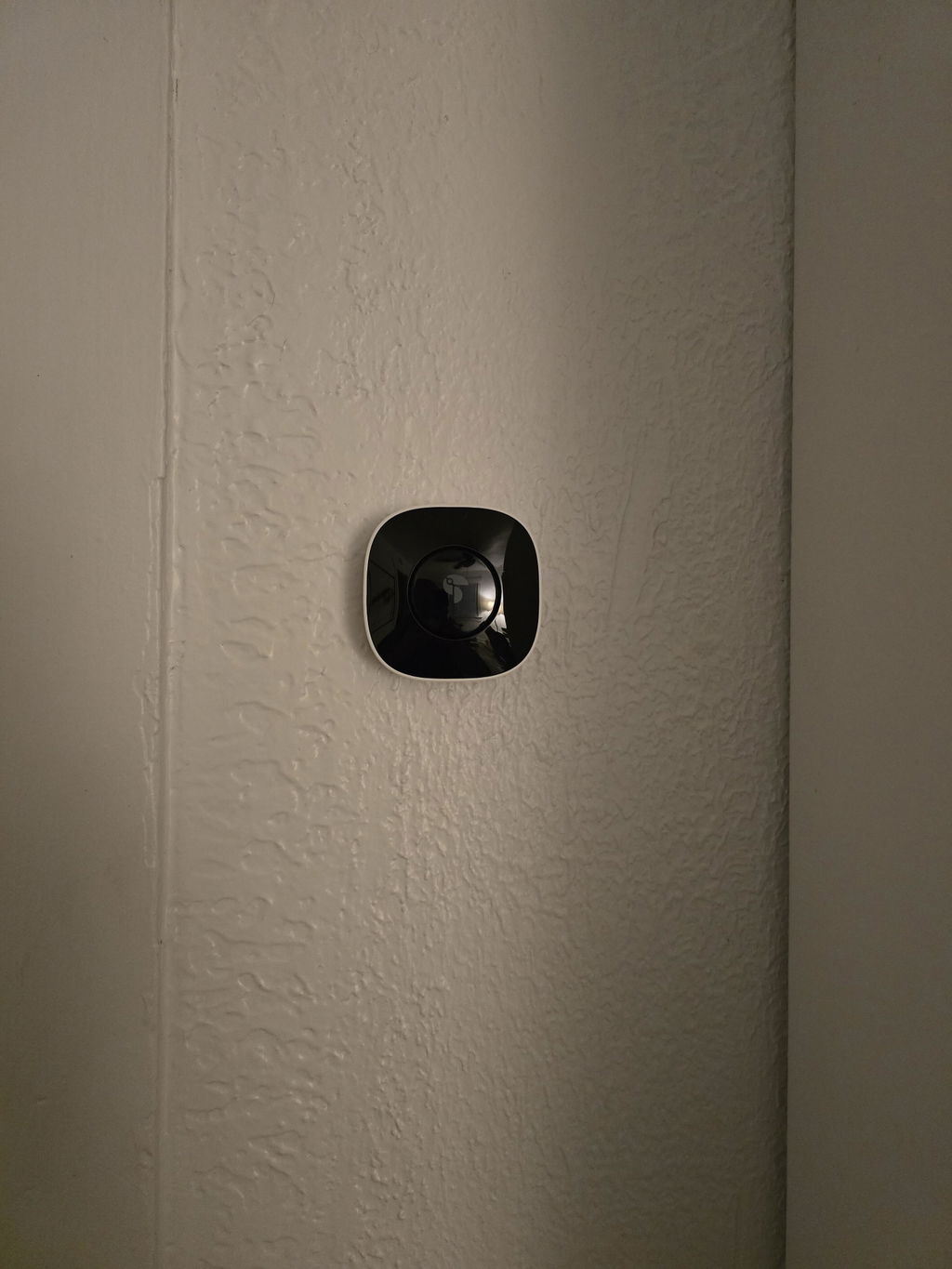
Hi Alexandra, thank you for your wonderful review! We're glad you find the door chime sleek, easy to install, and loud. We appreciate your recommendation!
Charge every 3 days
We are pleased with our Toucan wireless video doorbell so far. The only issue we have had is messing with the tiny **** to remove the backing every time to re-charge the battery or to reset it. There must be an easier way than to have to do that every time!
Works great after pairing to existing camera.
Wide and clear view.
I.AM SATISFIED. THANK YOU .
I have been trying to return for a refund for almost a week but haven't been able to reach anyone to help me. After my house wás affected during the storm 8/11/26 I ordered it but didn't know that my replaced WiFi was 5G and the doorbell is not compatible. Having a large pine tree uprooted and fell on my house has been causing me to replace many repairs and replacements.
The doorbell Chime makes a big difference as initiallyI was not able to hear the doorbell ring when I was upstairs. I like the options for the 6 Tones and adjustable Volume.
Upgraded, picture quality is much better, battery life could be improved, but OK.
So glad I ordered it. It helps me hear when people ring my doorbell. My ring camera did not come with a chime. As a senior citizen I had trouble hearing the doorbell.NOw I am set. Thanks.
Just put it up and it's not working I need to return it. Had one before, stopped working with in a year. Decided to get another one to no avail. Never will I get a Toucan again do not recommend it
Hi Betty, we’re very sorry to hear that both doorbells caused you trouble. Toucan products are covered by a warranty, and our support team would like the opportunity to review your case and help with troubleshooting or a replacement if eligible. If you haven’t already contacted us, please reach out to our customer support team with your order information. We want to make this right for you.
Product works great when it stays online
I love it
Hi Susan, we're thrilled to hear you love the Toucan Starter Home Protection Kit! Thank you for sharing your positive experience.
Beautiful high definition camera
Hi Darrell, we're thrilled to hear you love the high-definition quality of the camera! Thanks for sharing your positive experience with the Toucan Wireless Video Doorbell V3.
Works perfectly and I am completely happy with its performance
Hi there! We're so glad to hear you're happy with your Toucan Video Doorbell V3D. Thanks for your positive feedback!
I'm very surprised very good product. It's easy to install very good picture videos. I have other brands of different companies. They'll be decent to, but you company is im very, very happy.And good
Hi Stalyn, we're thrilled to hear you're very happy with the Toucan Wireless Video Doorbell! Thank you for your kind words and for choosing our product. If you need any assistance in the future, we're here to help!
Works great even if there isn't any light. Nice clear vision of sight. Good camera for the price.
Hi Al, thank you for your wonderful review! We're glad you're happy with the camera's performance. Enjoy your new doorbell!
I love this doorbell. It’s super easy to install and I use it to talk to my parents daily. (I put one at their house. So I can monitor the front door for them too!)
Hi Vivian, we're thrilled to hear you love the doorbell and that it's making it easier for you to stay connected with your loved ones! Thanks so much for sharing your experience.
Excellent recommend
Hi Alan, thank you so much for your fantastic review! We're thrilled to hear you're happy with your Toucan Video Doorbell. Enjoy your new setup!
Chime works real well. It is very easy to connect the doorbell with the chime.
Hi Frank, we're thrilled to hear that you're happy with the Toucan Doorbell Chime and its easy setup! Thanks for sharing your experience.
The quality of the images is real good. The fact that they have a limited free version is what lead me to try this system. I liked it, so I upgraded to "Pro" and added more cameras. Overall, I am pretty happy with the purchase. The reason for only four stars is the limitation in setup options. The cameras can only be mounted in a vertical upright position. There is no option to rotate or invert the image. Having this ability would greatly enhance installation options. The second reason is issues with the "motion detection zone". You can mask off areas of the image to not detect motion to limit what triggers a video event. However my experience is this is not very reliable. It mostly works, but I still get events recorded when there is motion in the masked area. Example: I have a camera aimed at my driveway, and masked off the street that goes by the house so only motion on the driveway will trigger an event. However it still picks up motion on the street to record cars driving by. Not every time, but it shouldn't do it at all. Even with these issues, I still like the system and am happy with my purchase. Setting up the cameras using the app is super easy!
Hi Jonathan, thank you for your detailed feedback! We're glad to hear you're happy with the image quality and find the setup process easy. We appreciate your suggestions about rotation and motion detection, and we'll pass these on to our development team for future improvements. Your satisfaction means a lot to us, and we're here if you need any assistance!
Works great, one of the best doorbell cameras I've used.
Hi Tom, thank you for the fantastic review! We're thrilled to hear you're enjoying the doorbell camera. If you need any assistance in the future, we're here to help!
Both the wireless doorbell and camera work great, with clear picture quality. I’m very happy with this purchase.
Hi Paul, we're thrilled to hear you're happy with your purchase! Thanks for sharing your positive experience with our Toucan bundle. Enjoy your new security setup!
I like not having to have a subscription for my video door bell like Ring prices keep going up and half the time its delayed or not even notifying me of someone at the door.
We have used Toucan products, and in particular their video doorbell for a number of years. When it came to adding a video doorbell to our new home, there was no question that Toucan would provide the solution. Easy to install, with fantastic video quality, and a very fair price.
Let's face it, how different is one doorbell camera form another? The technology is what it is, the difference is the company you buy from and Toucan is the best!!!!!
I have the old toucan doorbell & the indoor camera. Love them. This new pro though doesn’t show as wide as the original one I had and I don’t like that at all. Trying to return but have emailed twice in 2 weeks and stil no return email so I haven’t been able to return it yet. I want the V3 doorbell instead. If I could get toucan to reply back to my emails🤷♀️🤷♀️🤷♀️
Hi Jill, we're sorry to hear about the lens concern and the delay in response. Please reach out again, and we'll do our best to assist you with the return and exchange process for the V3 doorbell. Thank you for your patience!
Arrived as expected and works great.
FAQs
Please read our FAQs page to find out more.
How to pair via QR code?
Please check out our video on how to pair our camera that is using QR Code to our Toucan Smart Home App.
Watch the how-to video here: https://youtu.be/Pk1gjAyNHk8
Why can't I connect my camera to Wi-Fi?
Our cameraonly supports 2.4 GHz Wi-Fi networks. Before setting up the camera, make sure yourphone is connected to a 2.4 GHz Wi-Fi. Many routers offer both 2.4 GHz and 5 GHz bands, so it's important to select the correct one.
How do I check if my phone is connected to a 2.4 GHz Wi-Fi?
📱 For iPhone (iOS):
Go to Settings > Wi-Fi.
Tap the connected Wi-Fi network (checkmark).
If the network name includes "5G" or "5GHz", it's likely a 5 GHz network.
Switch to a 2.4 GHz network (often labeled without "5G", like "MyWiFi" instead of "MyWiFi_5G").
📱 For Android:
Go to Settings > Connections > Wi-Fi.
Tap the connected network.
Look for the Frequency or Network details.
If it says 5 GHz, disconnect and select a 2.4 GHz option.
💡 Tip: Some routers merge both bands under one name. In this case, temporarily disable 5 GHz in your router settings or move farther from the router—phones often auto-connect to 2.4 GHz at longer range.
How do I pair the camera after connecting to a 2.4 GHz network?
1. Download the camera app from the App Store or Google Play.
2. Open the app and register or log in.
3. Follow the on-screen instructions to add a new device.
4. Make sure your phone remains on the 2.4 GHz Wi-Fi during setup.
5. Enter the Wi-Fi password when prompted.
6. Proceed with pairing—your camera will now connect to the network.
I am looking for a security camera made in the USA. Where are your products made?
We are a US Corporation based in So. Calif. Our security cameras are manufactured in Vietnam. However all other aspects are here in the USA, including our cloud servers and customer service.
Didn't find your answer?
Click the link below, and one of our agents will be happy to assist you!