

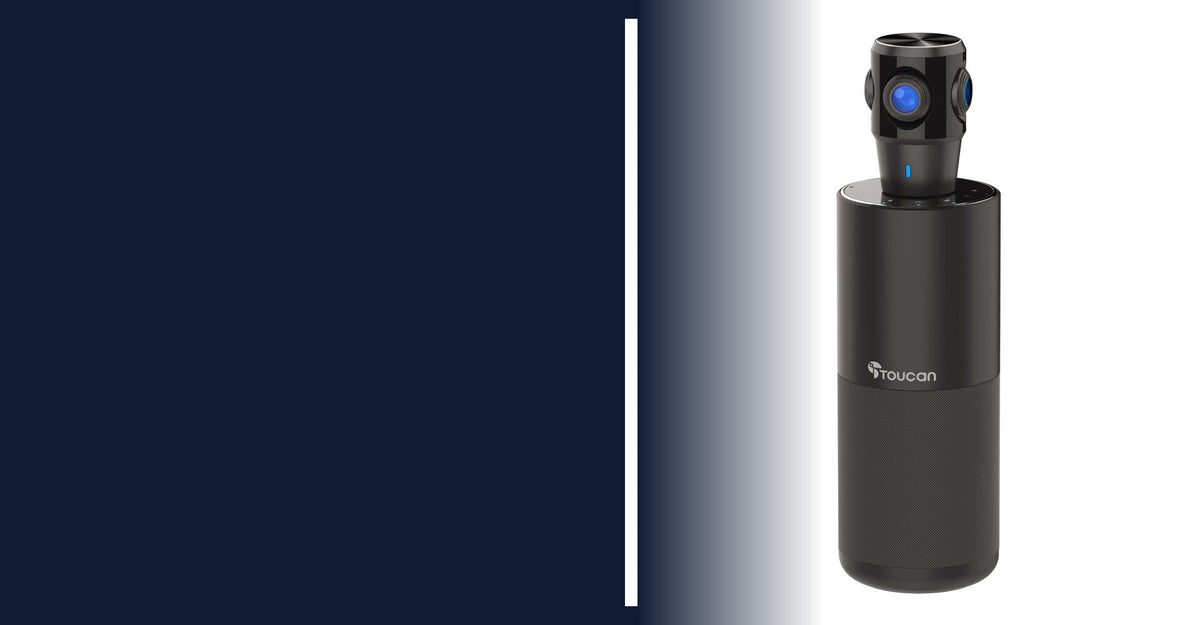
In a hybrid meeting, the people in the room can see each other. The people on the call often get a distant shot of one end of the table. A 360 conference camera sits in the middle of the table instead, so everyone around it is in view, and remote attendees can follow who is talking.
This guide covers what to check before you buy an all-in-one conference camera with a speaker and microphones, where the Toucan SC360 360 degree conference camera fits, and when a smaller Toucan system makes more sense.
Start with the room, not the spec sheet
A center-of-table camera works best when people sit around it. Before you compare features, answer four questions:
- Table shape: round and square tables suit a 360 camera well. On a long rectangular table, people at the far ends sit farther from the camera and look smaller on screen.
- Headcount: a solo desk, a two-person call and a full team meeting need different gear.
- Where the screen is: a 360 camera shows people from the table’s center, so it captures the conversation rather than a front-facing row.
- Power and cable reach: the SC360 plugs into an outlet and connects to your computer by USB. Its included USB cable and power adapter cord are each 2 m long, per the product images.
Five things to check in a 360 conference camera
- A full-room view plus speaker focus. A panorama shows everyone; voice tracking points attention to whoever is speaking.
- Microphones that hear the whole table. Look for omnidirectional mics with echo and noise cancellation so voices from every seat come through.
- A speaker sized for the room. Remote voices need to carry across the table without a separate speaker.
- Works with your meeting app. Check that the camera works as a standard USB device with the platforms your team uses.
- Easy controls and privacy. On-device buttons for mute, volume and view, plus a camera cover, save hunting through settings.

How the Toucan SC360 handles each check
From the live SC360 product page:
- Removable 360° panoramic camera with 1080p Full HD video
- AI voice tracking that directs focus to the active speaker
- 4 display modes: Panorama, Split, Focus and Grid
- 360° omnidirectional microphones with real-time echo and noise cancellation
- Built-in 5W conference speaker
- Plug-and-play USB with no extra software; works with Zoom, Microsoft Teams, Google Meet and Cisco Webex
- Touch panel for zoom, view mode, volume, mute, Bluetooth and power
- Removable camera cover; about 10 15/16 in. tall and 3 3/8 in. wide

Conferencing services may require their own accounts or subscriptions. Bluetooth on the SC360 is audio only; the camera needs a USB connection to a computer.
SC360, SC100 or S100: which Toucan fits?

Group around a table
SC360 360° conference camera: panoramic view, voice tracking, mics and a speaker in one unit. $399.99 (MSRP $499.99) through Nov 30.

Small room or home office
SC100 video conference system: a 1080p camera, four omnidirectional mics and a speaker for smaller spaces. $149.00 (MSRP $179.99).

Audio only
S100 Bluetooth speakerphone: 360° voice pickup when your webcam is fine but call audio is not. $49.00 (MSRP $99.99).
Setting up the SC360
- Place it in the center of the table, where people can see the camera.
- Plug in the power adapter, then connect the USB cable to your computer. Hold the power button until the blue indicator stays on.
- In Zoom, Teams, Meet or Webex, select the Toucan device as your camera, microphone and speaker.
- Pick a display mode for the room and run a short test call before the meeting.
It works with PC, Mac and Chromebook computers without installing drivers. If it doesn’t appear in Microsoft Teams, fully quit and reopen Teams; the Toucan FAQ has the steps.
Quick Q&A
What is a 360 conference camera?
A camera that sits in the middle of a meeting table and captures the room in every direction, usually with built-in microphones and a speaker, so remote attendees can see and hear everyone around it.
Does the SC360 need software or drivers?
No. It is plug-and-play over USB. You only need the meeting software you already use.
Can I use the SC360 wirelessly or with a phone?
Bluetooth on the SC360 is for audio only, including with phones and tablets. To use the camera, connect it to a desktop or laptop computer.
Can I add a microphone or a second SC360?
No. The SC360 is designed as a single all-in-one unit and does not support extra microphones or linking additional units.
Does the SC360 have a battery?
No battery is listed. It runs from the included power adapter and turns off after 30 minutes idle.

If your team meets around one table, start with the SC360, or compare every conferencing deal on the 10th anniversary page before November 30, 2026.

Share:
Black Friday 2026 Security Camera & Video Doorbell Deals for New Homeowners
Toucan SC360 Black Friday Deal: 360° Conference Camera for $399.99