
Wired vs Wireless Security Cameras: Which Is Better for Your Home?
Choose the best home video security camera to make your home protection simple, affordable, and stress-free.
Busy moms have a lot on their plate every single day. Between managing school schedules, preparing meals, and keeping the household running, home safety stays at the top of the priority list. A reliable home video security camera provides peace of mind without adding another complex chore to the calendar.
Older systems often required professional help and messy installations, but modern technology makes it much easier to keep an eye on things. Choosing the right system helps moms focus on their families while smart technology handles the heavy lifting of home protection.

Best Wireless Home Security Camera for Moms (No Monthly Fee)
A reliable home security camera shouldn’t add more stress to your day. For busy moms, the best solution is simple, wireless, and doesn’t come with a monthly fee. In this guide, we’ll break down how to choose the right system—and why solar-powered security is becoming the smartest choice for modern families.
Goodbye Drills: The Freedom of Wireless Security
Traditional wired security systems often feel like a permanent construction project. They require a homeowner to commit to specific locations because moving a camera means ripping out wires or drilling new holes.
For a mom who might want to move a camera from the front porch to the backyard as the seasons change or as the kids grow, those wires feel like a ball and chain. Wireless systems offer a level of flexibility that fits the fast-paced lifestyle of a modern family.
The struggle with wired cameras often starts before the first image even appears on a phone screen. Hiring a professional installer can cost hundreds of dollars just for the labor. Then there is the "wall surgery." Running cables through attics, crawlspaces, and drywall is a dusty, loud, and time-consuming process.
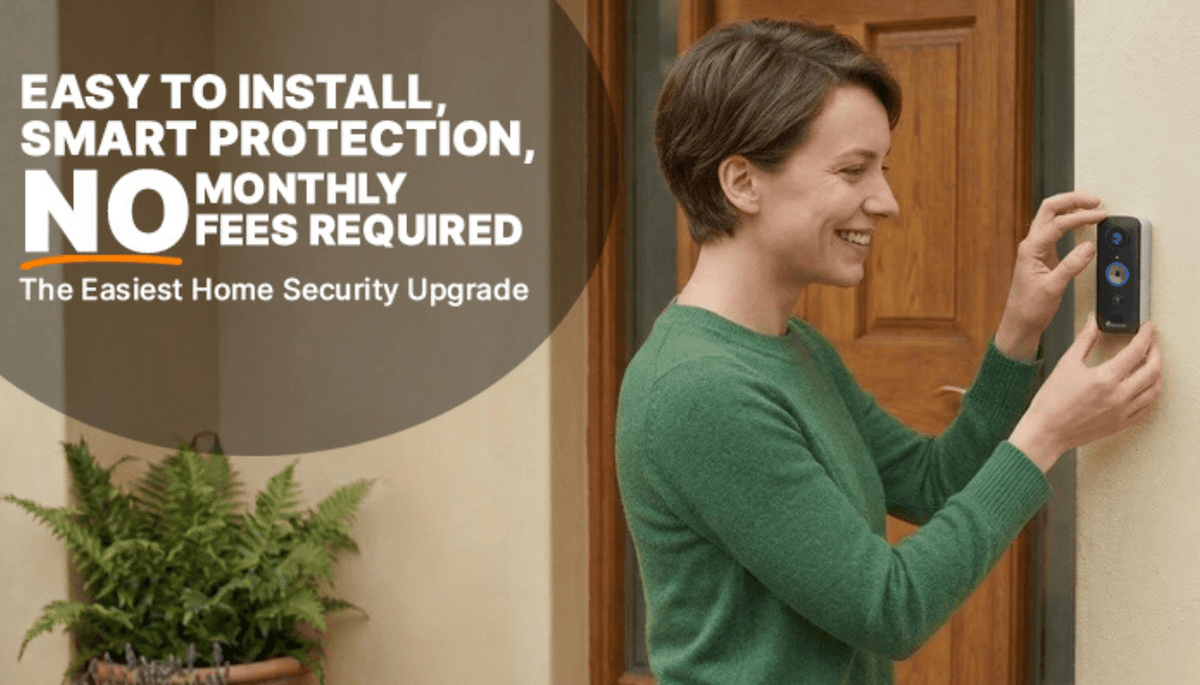
Wireless setups remove these hurdles entirely. A mom can pick a spot, mount the bracket, and have a live feed running in the time it takes to finish a cup of coffee.
Why do wireless setups work better for busy households?
No Professional Help Required: One of the wireless security camera benefits is that moms can skip the scheduling headache of waiting for a technician to show up between a four-hour window. DIY installation is fast and simple.
Preserve the Home: There is no need to drill massive holes through the siding or interior walls. This is a huge plus for renters or anyone who values their home's aesthetic.
Easy Relocation: If a new blind spot is discovered or the family moves to a new house, wireless cameras come down just as easily as they went up.
Lower Upfront Costs: By removing the need for professional wiring and expensive hubs, families can spend their budget on more cameras instead of installation fees.
Recent data shows that the DIY home security market is growing rapidly. This is because consumers today want an easy setup without professional installation. Reliability is no longer exclusive to wired systems. Modern wireless tech provides a stable connection that keeps the home guarded around the clock.
Meet the Toucan S5: Solar Power Meets Simple Security
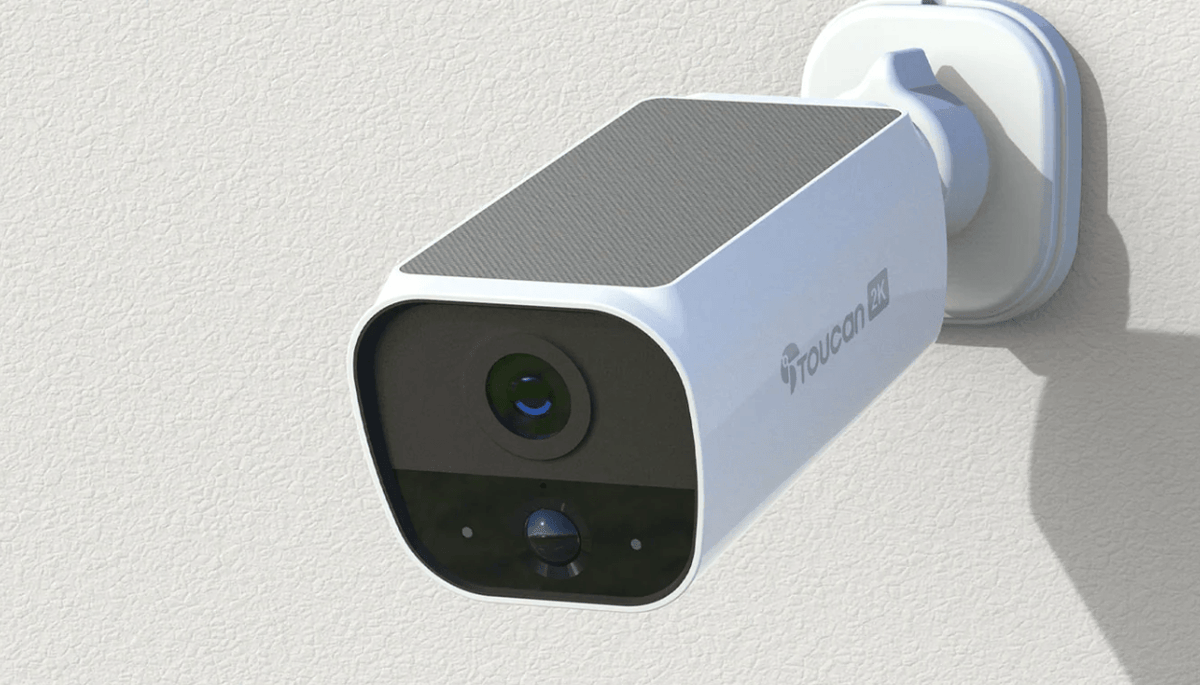
When looking for the peak of convenience, the Toucan Solar Home Surveillance Camera S5 stands out as a top choice for families. This Wireless Outdoor 2K Camera removes the one remaining chore associated with wireless tech: charging batteries. By using solar power, the camera stays fueled by the sun. This means moms don't have to climb ladders every few months to swap out batteries or bring the device inside to plug it into a wall.

The S5 model is built for the "set it and forget it" mindset. It features 2K QHD resolution, which provides a crystal-clear image. This level of detail is vital when a mom needs to see exactly who is at the door or if a package arrived safely. Because it requires no hub, the camera connects directly to the home Wi-Fi. This keeps the setup clean and prevents a cluttered "tech graveyard" of extra boxes near the router.
Feature |
Why Moms Choose Toucan |
2K Video Resolution |
Provides clear details to identify faces or license plates easily. |
Solar Powered |
Continuous charging means no more climbing ladders to change batteries. |
Security Camera Without Subscription |
Saves money every month while still offering free cloud storage. |
No Hub Required |
Connects directly to Wi-Fi for a faster, cleaner setup. |
Weatherproof Design |
Handles rain, snow, and sun so the home stays protected in any season. |
Two-Way Talk |
Allows moms to speak to delivery drivers or guests from their phones. |
One of the biggest advantages of the Toucan S5 is that it’s a security camera without subscription. Many brands lure customers in with a low price but then charge $10 or $20 every month just to view recorded footage. Toucan understands that household budgets are tight. They offer a "no monthly fee" model that includes a rolling 24-hour video history for free.
For families who want to keep footage for a longer period, Toucan also offers optional Shield plans that provide 7 or 90 days of storage history. This approach puts money back into the grocery or activity budget instead of a recurring tech bill.

Why Solar is the Ultimate Time-Saver
Time is the most valuable resource for any parent. Solar-powered security is not just about being "green" or saving on electricity; it is about reclaiming time. Most wireless cameras require a recharge every three to six months. While that sounds infrequent, it always seems to happen at the most inconvenient moment. A camera might go dark right before a family vacation or during a busy holiday week.
With the Toucan S5, the included solar panel keeps the battery topped off. The panel offers total flexibility, as it can be mounted directly onto the camera or placed separately using the included 360-degree mount and weather-sealed cable to ensure it catches the best sun while the camera stays in the shade.
As long as there is a bit of daylight, the camera remains active. This reliability is essential for a home video security camera because a camera with a dead battery is just a plastic ornament. The system remains autonomous with the power of the sun.
Does solar work in cloudy areas? Yes, modern solar panels are very efficient. They do not need direct, scorching sunlight all day to function. Even ambient light on a gray day provides enough energy to maintain the charge for a low-power device like a security camera. This ensures that the backyard, driveway, and front door are always under a watchful eye.
Comparing Security Costs: Wired vs. Toucan Wireless
When people look at home security, they often forget to calculate the "hidden" costs. A wired system might look affordable on the shelf, but the total cost of ownership tells a different story.
The Wired Path:
Cost of the camera system: $300 - $600.
Professional installation: $200 - $500.
Monthly monitoring fees: $30 - $60 per month.
Total Year One: Up to $1,800 or more.
The Toucan S5 Path:
Cost of the S5 Solar Camera: (Affordable retail price).
Installation: $0 (DIY in 10 minutes).
Monthly fees: $0 (Free rolling cloud storage).
Total Year One: Just the cost of the hardware.
The difference is staggering. For a busy mom, that extra $1,000+ saved in the first year can go toward a family trip, school supplies, or savings. Toucan provides a professional-grade experience without the professional-grade drain on the bank account.
Frequently Asked Questions
Q: Does this home video security camera work at night?
A: Yes, the Toucan S5 features high-quality night vision. Even in total darkness, the camera provides a clear view of the surroundings. This is perfect for checking on that "bump in the night" without having to leave the bedroom.
Q: What happens if the Wi-Fi goes down?
A: Like most wireless cameras, the S5 needs a 2.4GHz Wi-Fi connection to send alerts to a phone. However, many modern routers are very stable. Once the internet comes back online, the camera reconnects automatically.
Q: Can I share access with my spouse or a babysitter?
A: The Toucan app allows for easy sharing. A mom can grant access to a partner or a trusted caregiver so everyone stays informed about who is coming and going.
Q: Is the solar panel hard to install?
A: The solar panel is designed to be as simple as the camera. It comes with a flexible mount so it can be angled toward the sky. It plugs directly into the back of the camera with a weather-sealed cable.
Q: Is my data secure?
A: Toucan uses encrypted cloud storage to ensure that only authorized users can see the footage. Privacy is a top priority for families, and the system is built to keep those videos private.
Final Thoughts
The debate between wired vs. wireless security cameras has a clear winner for the modern, busy household. While wired systems have their place in large commercial buildings or brand-new high-end constructions, they often fail the "convenience test" for real families. Wireless and solar-powered products like the Toucan S5 offer a level of freedom that matches the needs of a mom on the go.
Choosing a solar-powered home video security camera means one less thing to worry about. There are no cables to hide, no technicians to hire, and no batteries to pull down and charge. The 2K clarity ensures that every detail is captured, and the lack of monthly fees makes it a smart financial move.
Home security should not feel like a part-time job. It should be a quiet, helpful assistant that watches over the house while the family lives their life. Choosing a wireless, solar-powered solution allows moms to enjoy the best of both worlds: top-tier protection and total simplicity.
—
Wired vs Wireless Security Cameras?
Can’t decide between a wired vs. wireless security camera? Browse our home video security cameras at ToucanSolution.com!
Explore More Home Security Solutions

Share:
Best Wireless Video Doorbell for Home Security (2026 Guide)
Best Security Cameras for Elderly Parents - Caregiver Guide