
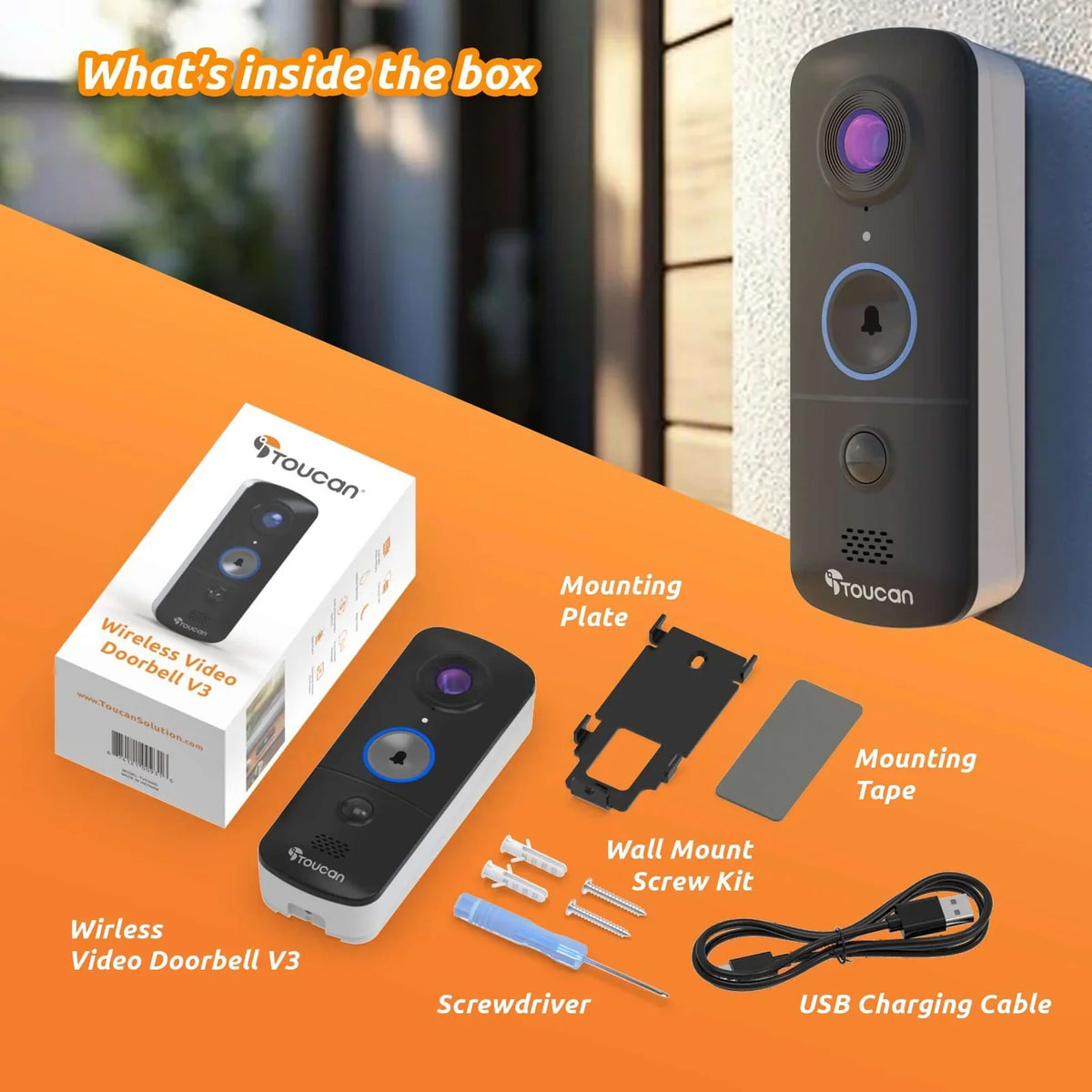
A better setup starts before mounting
Before installing a wireless video doorbell, test the Wi-Fi signal at your entrance, preview the camera view, check that the door can move freely, and decide how your household wants to receive alerts. Completing these checks first can help you choose a more useful position and avoid unnecessary repositioning.
Toucan V3D and V3 use rechargeable battery power and do not require existing doorbell wiring or a separate hub. You should still follow the current model-specific instructions when pairing and mounting the device.
Begin With a Five-Minute Dry Run
Resist the urge to mount the doorbell as soon as you open the box. First, stand at the entrance with the doorbell and your phone. Look at the available section of the doorframe, open and close the door, and think about how visitors normally approach.
The goal is to find a location that gives the camera a useful view while keeping the doorbell easy for visitors to see and press. It should sit flat, remain fully visible and avoid interfering with the door, storm door, handle, trim or nearby lighting.

Seven Checks Before You Install a Wireless Video Doorbell
1. Test 2.4 GHz Wi-Fi at the Doorway
A wireless doorbell still needs a compatible network connection. Stand near the proposed mounting position and confirm that your 2.4 GHz Wi-Fi reaches the entrance. Test near the closed door as well as the open doorway because exterior materials and distance from the router may affect the connection.
If the signal is inconsistent, address the network placement before mounting the doorbell. A strong connection elsewhere in the house does not automatically mean that the signal is equally reliable at the front door.
2. Preview the Camera View
Temporarily hold the doorbell where you plan to mount it and use the app during setup to inspect the view. Look for a clear picture of the area where visitors stand and the path they use to approach the entrance.
Watch for porch columns, plants, decorations, reflective glass or a nearby wall that occupies too much of the frame. The most useful view is not necessarily the widest possible view. It is the view that clearly shows activity relevant to your entrance without unnecessarily pointing toward a neighbor’s private area.
3. Check Door and Trim Clearance
Open the main door and any storm or screen door through their normal range. Confirm that the doorbell and its mount will not be struck, scraped or hidden. Check the door handle, seasonal wreaths and other items that may move near the frame.
The doorbell should be attached to an appropriate stable surface, not floating beyond the trim or placed partly over two uneven surfaces.
4. Choose a Practical, Reachable Position
Place the doorbell where a visitor can recognize and press it naturally. It should remain upright, sit at a realistic scale on the actual doorframe and provide a useful camera angle.
Avoid choosing a position based only on appearance. A location directly beneath a large light fixture, behind thick trim or too close to a moving door may look balanced but make everyday use less convenient. Follow the mounting guidance provided for the model rather than relying on a universal height.

Plan How Your Household Will Hear the Door
5. Choose App-First Alerts or an Indoor Chime
Think beyond the person completing the installation. Who normally answers the door, and where do they spend time during the day?
Toucan V3D is an app-first model without an indoor chime included. Toucan V3 includes a wireless indoor chime in addition to app alerts. A chime may be useful when children, guests or family members do not use the app, or when phones are frequently charging or silenced.
If you choose the V3, test the chime in a central indoor location where the people who need it are likely to hear it.
Finish the Setup Before Final Mounting
6. Plan a Simple Charging Routine
Because the doorbell uses a rechargeable battery, choose a position that allows the device to be removed and charged according to the product instructions. Keep the charging cable in a place your household will remember.
Charging frequency can vary with settings, activity, connection quality and environmental conditions, so avoid building your routine around an unverified battery-life estimate. Check the device and app regularly instead.
7. Test the Full Experience
Before completing the final mount, test the doorbell as a visitor would use it. Press the button, confirm the phone alert, check live view and try two-way talk. If your model includes a chime, verify that it sounds where expected.
Review the view in both daylight and the lower-light conditions typical of your entrance. Small adjustments are easier before the hardware is secured.

V3D or V3: Which Setup Fits Your Home?
Choose the V3D when your household is comfortable relying primarily on app alerts and does not need an included indoor chime. Choose the V3 when you want both app notifications and a wireless chime that can alert people inside the house.
Both models provide 1080p HD wide-angle video, rechargeable battery power, two-way talk and connection through compatible 2.4 GHz Wi-Fi. Neither requires existing doorbell wiring or a separate hub.
After selecting a model, use Toucan’s V3 installation guide and the instructions supplied with the product for the final setup and mounting sequence.
Essential Use Without a Required Monthly Fee
Installation is only part of choosing a doorbell that fits daily life. Toucan’s included Basic service currently provides essential features such as live view, alerts, two-way talk and 24-hour event history without a required monthly fee.
Optional AI+ plans are available for customers who want additional features or longer history. Review the current plan comparison before choosing an upgrade because plan details and eligibility may change.
A video doorbell can help your household notice and review activity near the entrance, but it cannot guarantee that every visitor will be answered or that every delivery will be completed or remain secure.
Wireless Video Doorbell Installation FAQs
Do Toucan wireless video doorbells need existing wiring?
No. Toucan V3D and V3 use rechargeable battery power and do not require connection to existing doorbell wiring.
Do Toucan video doorbells require a separate hub?
No separate hub or base station is required. The doorbell connects through compatible 2.4 GHz Wi-Fi.
Should I test Wi-Fi before mounting the doorbell?
Yes. Test the compatible 2.4 GHz network at the exact doorway location before final mounting because signal quality may differ from other parts of the home.
Does the Toucan V3D include an indoor chime?
No. V3D is an app-first model without an indoor chime included. Toucan V3 includes a wireless indoor chime.
Can I use a Toucan doorbell without a paid plan?
Yes. Essential Basic features are available without a required monthly fee. Optional AI+ plans provide additional features and longer event history.
Plan the Position Before You Mount
A few minutes spent checking Wi-Fi, camera view, door clearance, alerts and charging access can make the final setup more practical for the whole household.

Share:
Video Doorbell for Renters: A Practical No-Wiring Guide
Wireless Video Doorbell With Monitor: Do You Need One?